2048
Background
This is a port of 2048, a game, to libretro.
How to start the 2048 core:
-
To start the 2048 core, go to RetroArch's main menu screen. Select 'Load Core', then '2048'.
-
Now, select 'Start Core'.
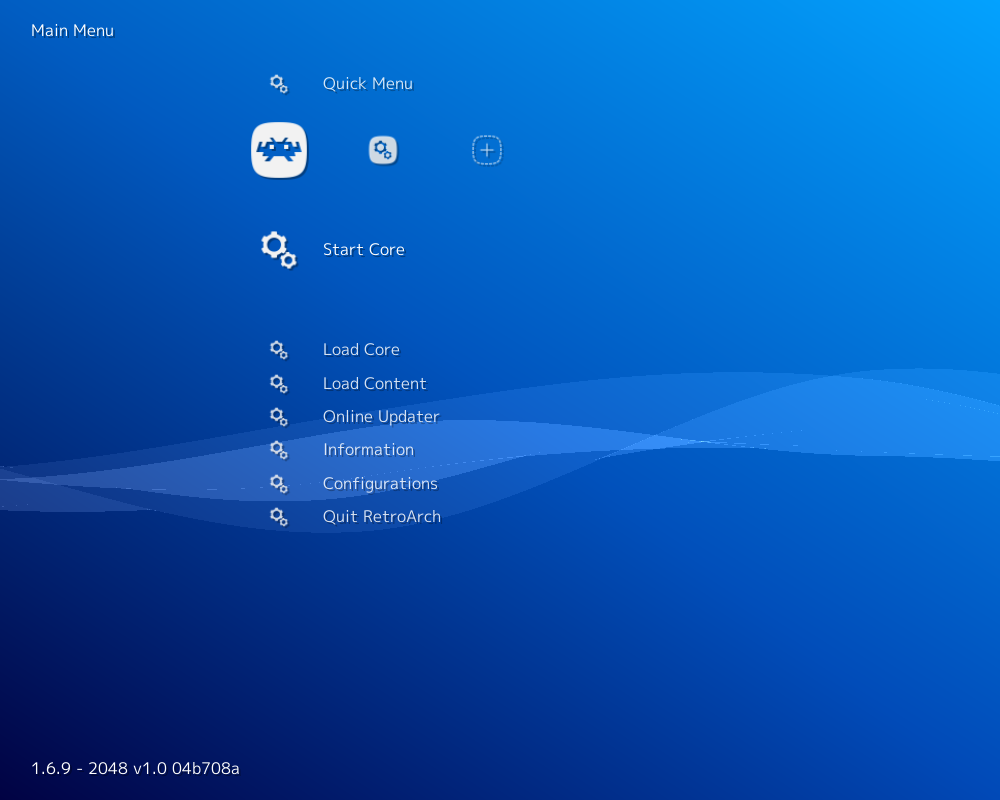
The content should now start running!
Author/License
The 2048 game has been authored by
- Gabriele Cirulli
The libretro implementation was authored by
- Higor Eurípedes
The 2048 core is licensed under
A summary of the licenses behind RetroArch and its cores can be found here.
Features
Frontend-level settings or features that the 2048 core respects.
| Feature | Supported |
|---|---|
| Restart | ✔ |
| Screenshots | ✔ |
| Saves | ✔ |
| States | ✔ |
| Rewind | ✔ |
| Netplay | ✔ |
| Core Options | ✕ |
| Memory Monitoring (achievements) | ✕ |
| RetroArch Cheats | ✕ |
| Native Cheats | ✕ |
| Controls | ✔ |
| Remapping | ✔ |
| Multi-Mouse | ✕ |
| Rumble | ✕ |
| Sensors | ✕ |
| Camera | ✕ |
| Location | ✕ |
| Subsystem | ✕ |
| Softpatching | ✕ |
| Disk Control | ✕ |
| Username | ✕ |
| Language | ✕ |
| Crop Overscan | ✕ |
| LEDs | ✕ |
Directories
The 2048 core's internal core name is '2048'
The 2048 core saves/loads to/from these directories.
Frontend's Save directory
- 2048.srm (Previous game sessions and hiscores)
Frontend's State directory
- 2048.state# (State)
Geometry and timing
- The 2048 core's core provided FPS is 60
- The 2048 core's core provided sample rate is 30000 Hz
- The 2048 core's core provided aspect ratio is 1
Controllers
The 2048 core supports the following device type(s) in the controls menu, bolded device types are the default for the specified user(s):
User 1 device types
- None - Doesn't disable input.
- RetroPad - Joypad
- RetroPad w/Analog - Joypad - There's no reason to switch to this.
Controller tables
Joypad
| User 1 Remap descriptors | RetroPad Inputs |
|---|---|
| Pause |  |
| Start |  |
| Up |  |
| Down |  |
| Left |  |
| Right |  |