Atari - 7800 (ProSystem)
Background
ProSystem is an Atari 7800 emulator.
Author/License
The ProSystem core has been authored by
- Greg Stanton
- Brian Berlin
- Leonis
- Greg DeMent
The ProSystem core is licensed under
A summary of the licenses behind RetroArch and its cores can be found here.
Extensions
Content that can be loaded by the ProSystem core have the following file extensions:
- .a78
- .bin
Databases
RetroArch database(s) that are associated with the ProSystem core:
BIOS
Required or optional firmware files go in the frontend's system directory.
| Filename | Description | md5sum |
|---|---|---|
| 7800 BIOS (U).rom | 7800 BIOS - Optional | 0763f1ffb006ddbe32e52d497ee848ae |
Features
Frontend-level settings or features that the ProSystem core respects.
| Feature | Supported |
|---|---|
| Restart | ✔ |
| Screenshots | ✔ |
| Saves | ✕ |
| States | ✔ |
| Rewind | ✔ |
| Netplay | ✕ |
| Core Options | ✕ |
| Memory Monitoring (achievements) | ✔ |
| RetroArch Cheats | ✕ |
| Native Cheats | ✕ |
| Controls | ✔ |
| Remapping | ✔ |
| Multi-Mouse | ✕ |
| Rumble | ✕ |
| Sensors | ✕ |
| Camera | ✕ |
| Location | ✕ |
| Subsystem | ✕ |
| Softpatching | ✕ |
| Disk Control | ✕ |
| Username | ✕ |
| Language | ✕ |
| Crop Overscan | ✕ |
| LEDs | ✕ |
Directories
The ProSystem core's internal core name is 'ProSystem'
The ProSystem core saves/loads to/from these directories.
Frontend's State directory
- 'content-name'.state# (State)
Geometry and timing
- The ProSystem core's core provided FPS is 60 for NTSC games and 50 for PAL games.
- The ProSystem core's core provided sample rate is 32640 Hz for NTSC games and 31200 Hz for PAL games
- The ProSystem core's core provided base width is 320
- The ProSystem core's core provided base height is 223 for NTSC games and 272 for PAL games
- The ProSystem core's core provided max width is 320
- The ProSystem core's core provided max height is 292
- The ProSystem core's core provided aspect ratio is 4/3
Core options
The ProSystem core has the following option(s) that can be tweaked from the core options menu. The default setting is bolded.
Video
-
Color Depth (Restart) [prosystem_color_depth] (Thousands (16-bit)|Millions (24-bit))
Specifies number of colors to display on-screen. 24-bit may increase performance overheads on some platforms.
Audio
-
Audio Filter [prosystem_low_pass_filter] (OFF|ON)
Enables a low pass audio filter to soften the 'harsh' sound produced by the Atari 7800's TIA chip.
-
Audio Filter Level [prosystem_low_pass_range] (5%|10%|15%|20%|25%|30%|35%|40%|45%|50%|55%|60%|65%|70%|75%|80%|85%|90%|95%)
Specifies the cut-off frequency of the low pass audio filter. A higher value increases the perceived 'strength' of the filter, since a wider range of the high frequency spectrum is attenuated.
Input
-
Dual Stick Controller [prosystem_gamepad_dual_stick_hack] (OFF|ON)
Maps Player 2's joystick to the right analog stick of Player 1's RetroPad. Enables dual stick control in supported games (e.g. Robotron: 2084, T:ME Salvo).
Controllers
The ProSystem core supports the following device type(s) in the controls menu, bolded device types are the default for the specified user(s):
User 1 - 2 device types
- None - Doesn't disable input. There's no reason to switch to this.
- RetroPad - Joypad - Stay on this.
- RetroPad w/Analog - Joypad - Same as RetroPad. There's no reaosn to switch to this.
Controller tables
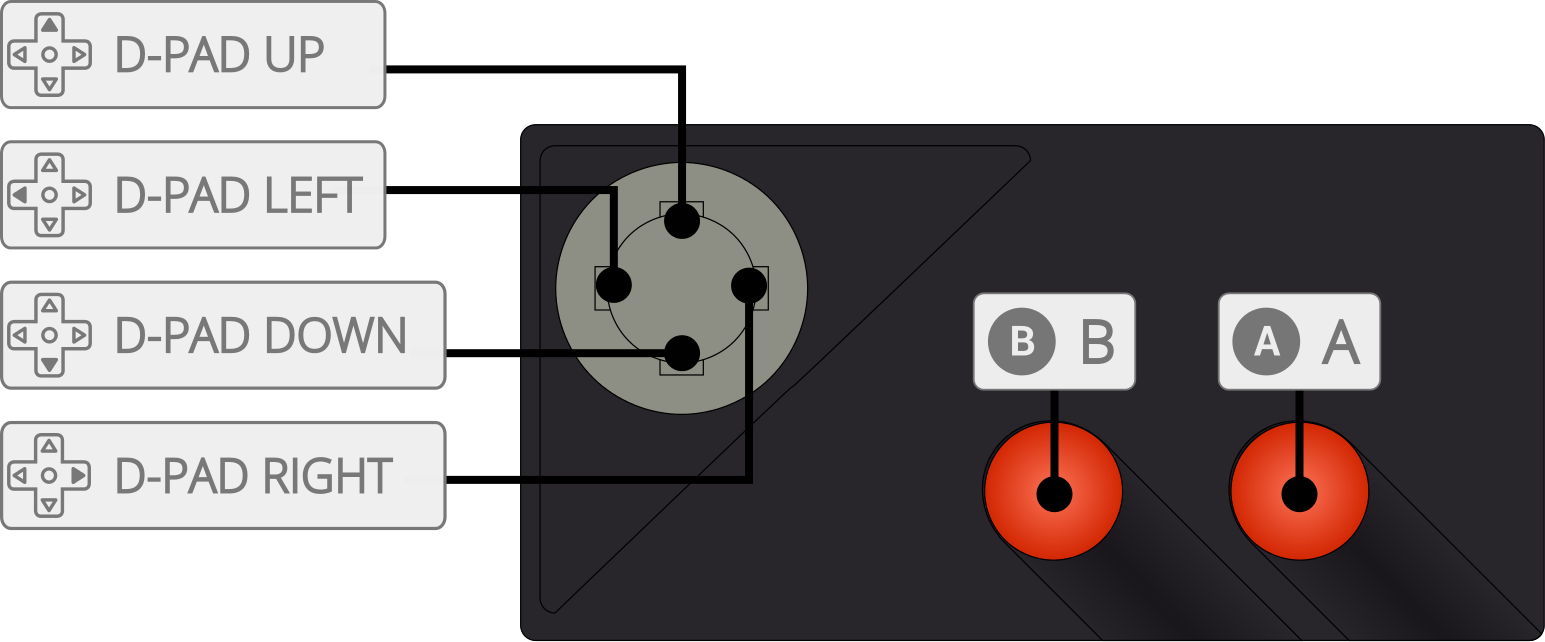
Joypad
| User 1 Remap descriptors | RetroPad Inputs |
|---|---|
| B |  |
| Console Select |  |
| Console Pause |  |
| Up |  |
| Down |  |
| Left |  |
| Right |  |
| 2 |  |
| Console Reset |  |
| Left Difficulty |  |
| Right Difficulty |  |
| User 2 Remap descriptors | RetroPad Inputs |
|---|---|
| 1 | |
| Up | |
| Down | |
| Left | |
| Right | |
| 2 | |